


PicCollage: Photo Video Editor
4.7130.88K Reviews
App Specs
- Version
- 7.30.9
- Updated On
- License
- Free
- Downloads
- 100,000,000+
- Developer
- Cardinal Blue Software, Inc.
- Categories
- Photography
- Platform
- Android, iOS
Screenshots
 Analysis by AppCompare
Hey there! So, I recently got my hands on PicCollage: Photo Video Editor, and let me tell you, it’s been quite the ride. If you’re into crafting beautiful photo and video collages with minimal effort, you’ll want to stick around for this review.
Getting Started with PicCollage
Alright, let’s dive into what this app is all about. When you first open PicCollage, you’re greeted with a user-friendly interface that’s both inviting and straightforward. Whether you’re tech-savvy or just looking to spice up your Instagram feed, the app makes it super easy to get started.
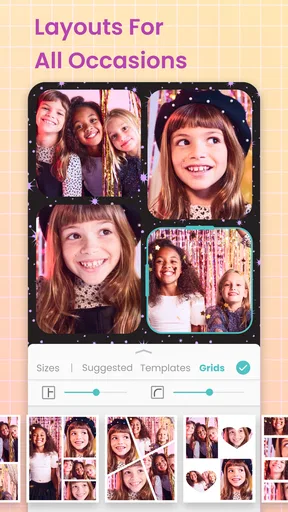
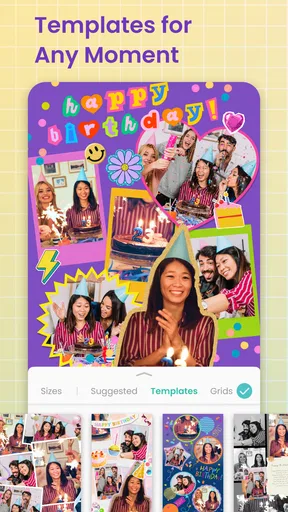
The app offers a variety of templates right off the bat, which is perfect if you’re in a rush or need a little creative nudge. You can pick from themes like birthday, wedding, travel, and more. It’s like having a personal designer in your pocket!
Guides and Analysis on PicCollage: Photo Video Editor
Features That Stand Out
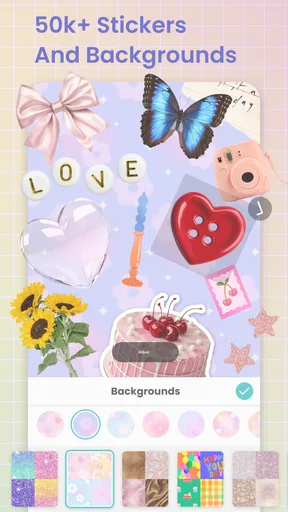
Now, let’s talk features. One of the first things I noticed is the vast array of stickers and backgrounds available. You can really personalize your collage to reflect your style. Plus, they update these pretty regularly, so you’re always getting fresh content.
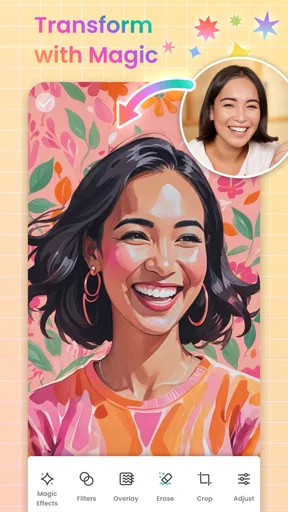
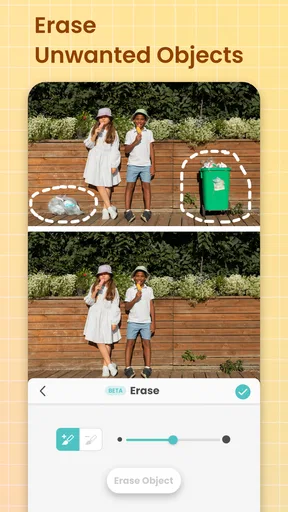
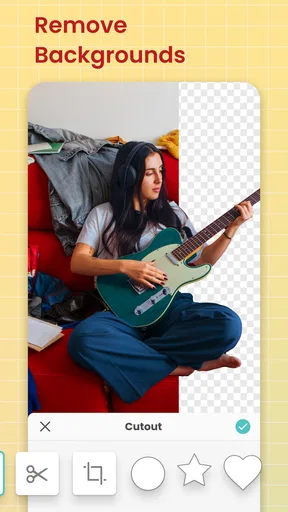
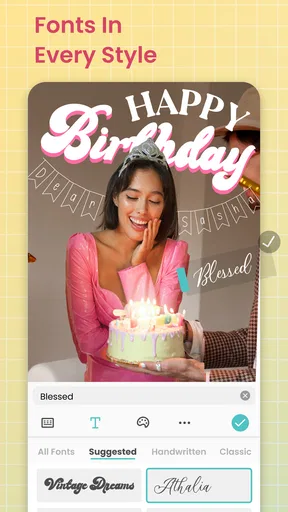
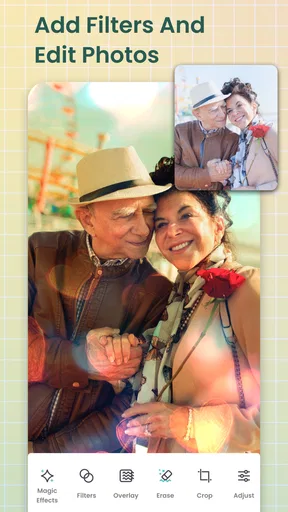
The app also supports both photos and videos, which is a game-changer. You can mix and match to create dynamic collages that pop. And if you’re worried about editing skills, don’t be. The app comes with a bunch of easy-to-use editing tools. You can crop, adjust brightness, add text, and even doodle directly on your photos.
Ease of Use
Another thing I love about PicCollage is how intuitive it is. You don’t need a manual to figure things out. Everything is pretty much drag and drop, and the app provides helpful tips along the way if you get stuck.
Sharing is also a breeze. Once you’ve finished your masterpiece, you can easily share it directly to social media platforms or save it to your device. It’s perfect for those last-minute birthday posts or surprise anniversary tributes.
Worth Reading Before You Choose

Google Calendar Makes a Crowded Week Easier to Manage

Ludo King Makes the Most of the Minutes Between Plans

Baby Panda World Brings Quick Play to Modern Phones, but Its Game Library Feels Busy

ESPN’s Live Game View Makes Following Close Games Easier

QuizzLand Review: A Good Fit for Short Trivia Breaks, Not Every Player

Basketball Stars: Multiplayer Is Fast, but Can It Recover When Matches Go Wrong?
Why It’s Worth Checking Out
So, why should you download this app? Well, if you enjoy creating and sharing unique content, PicCollage: Photo Video Editor is a fantastic tool. It’s versatile, fun, and doesn’t require a steep learning curve. Plus, with the constant updates and new features, it keeps things fresh and exciting.
If you’re looking to give your photos and videos a bit of flair, this app is definitely worth a try. It’s a great way to unleash your creativity without spending hours on end.
So, go ahead, give it a whirl and let your imagination run wild. You might just find yourself addicted to creating stunning collages in no time!
Pros
- User-friendly interface for easy navigation.
- A wide range of templates and stickers.
- Supports both photo and video editing.
- Allows for seamless social media sharing.
- Regular updates with new features.
Cons
- Contains ads in the free version.
- Some features require in-app purchases.
- Can be resource-heavy on older devices.
- Occasional bugs during video editing.
- Limited export options in free version.
FAQs for PicCollage: Photo Video Editor
What features does PicCollage: Photo Video Editor offer?
PicCollage: Photo Video Editor provides a wide range of features including photo and video editing, customizable templates, stickers, and backgrounds. Users can easily create stunning collages, apply filters, and add text to their projects. The app also supports video editing, allowing users to combine photos and videos seamlessly.
Is PicCollage: Photo Video Editor free to use?
PicCollage offers a free version with basic features, but there are in-app purchases available for advanced tools and content. Users can subscribe to a premium plan for additional benefits such as no ads, exclusive stickers, and more editing features. This flexibility allows users to choose the plan that best fits their needs.
Can I use PicCollage for professional projects?
Yes, PicCollage is versatile enough for both personal and professional projects. The app’s comprehensive editing tools and variety of templates make it suitable for creating marketing materials, social media posts, and more. Whether for fun or business, PicCollage offers a professional touch to your creations.
Is PicCollage user-friendly for beginners?
PicCollage is designed with an intuitive interface that is user-friendly for beginners. The app provides tutorials and tips to help new users navigate its features easily. Its drag-and-drop functionality and straightforward design make it accessible even for those with little to no prior editing experience.
Does PicCollage require an internet connection to use?
While PicCollage can be used offline for basic editing, an internet connection is needed to access certain features like downloading new content, templates, and stickers. To get the most out of the app, including updates and premium content, having internet access is recommended.


